
Altijd grip op digitale risico’s
Security manager
What can you expect?
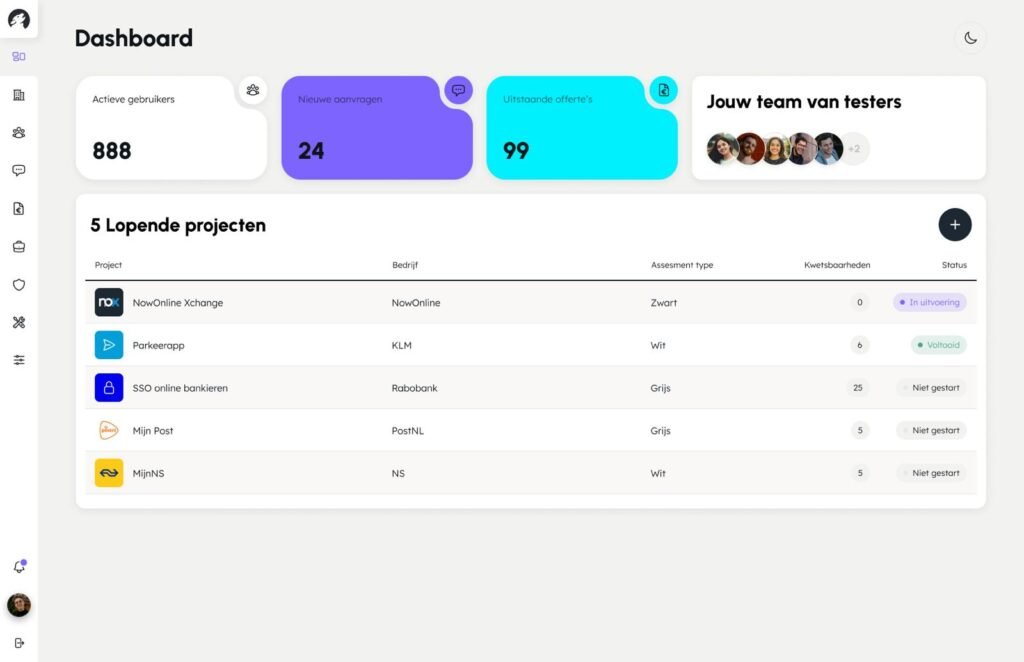
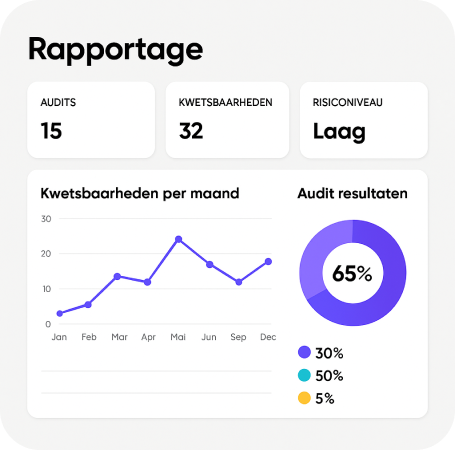
The output from multiple security scans is combined into a single, streamlined view. All findings are de-duplicated, categorised, and standardised before appearing in the signals section of the dashboard.
Each detected vulnerability:
- Is translated into a clear, actionable task
- Is labelled as warning, problem, or info
- Can be opened, followed up, or forwarded
Insight anytime, anywhere
The dashboard gives you instant visibility into;
- Incoming security signals; action events.
- Which actions were taken, by whom, and when
- The current status of the action event
- Which notifications are not yet “in control”
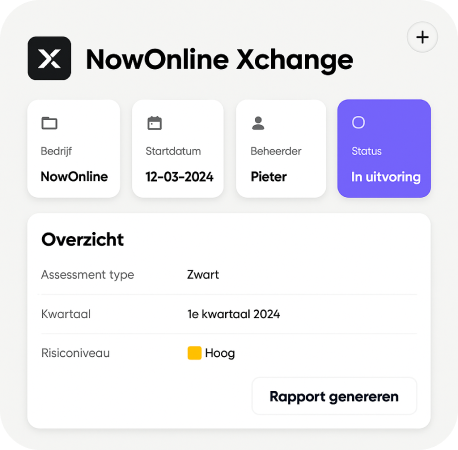
Complete follow-up for every notification
- The risk level
- The current status and any follow-up actions
- The order of handling
- Assigned email follow-up actions
If an alert is not addressed, it automatically reappears the next day — ensuring nothing slips through the cracks.
Frequently Asked Questions
What is the Security Manager?
A daily monitoring solution that automatically scans all your websites. It processes the results in a central dashboard for vulnerability management.
How does the Security Manager help with risk follow-up?
The Security Manager turns every vulnerability into an Action Event that must be addressed to stay “in control.” The dashboard records the status, risk level, owner, and timestamps, ensuring a structured and traceable management process.
How does the Security Manager support compliance?
Regardless of the framework you follow NIS2, ISO 27001, NEN 7510, BIO, or GDPR, you must be able to demonstrate that vulnerabilities are identified, assessed, and addressed in a timely manner. Compliance is about evidence. Every detected vulnerability and status change is automatically logged.
Can I monitor multiple websites at the same time?
Yes. The dashboard supports multiple domains. All signals and follow-up actions are centrally collected in one clear dashboard, with actionable to-do items per domain.
Which manual tasks does this service replace?
It replaces ad-hoc tools used inconsistently across teams, ad-hoc alerts, spreadsheets, and manual logging. You get a single dashboard with a clear overview of which issues belong to which vendor or internal team.
How can I get started?
Start with a free scan. We immediately connect your websites to our 40+ sources and run your first checks.
Digital Guard Dog:
active in 3 simple steps
1
Start a free scan
We immediately connect your websites to our 40+ sources and run your first checks.
2
Initial findings within minutes
You get access to the dashboard and can see at a glance where action is required and what can wait.
3
First full report within 24 hours
All identified vulnerabilities are available in the dashboard, including their impact and the ability to forward them directly to colleagues or external parties.